#Visual Query Builder and ERD
#Visual Query Builder
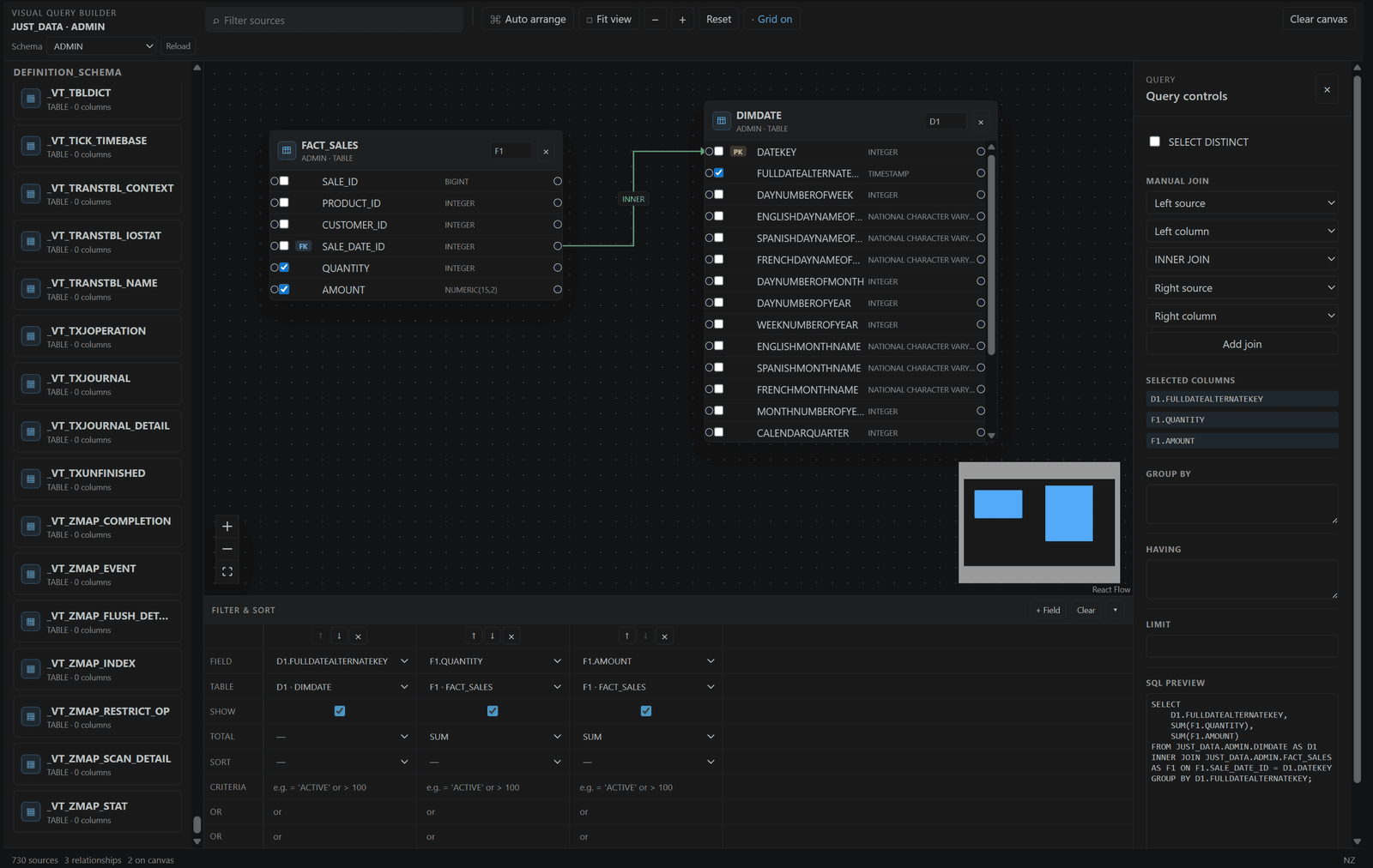
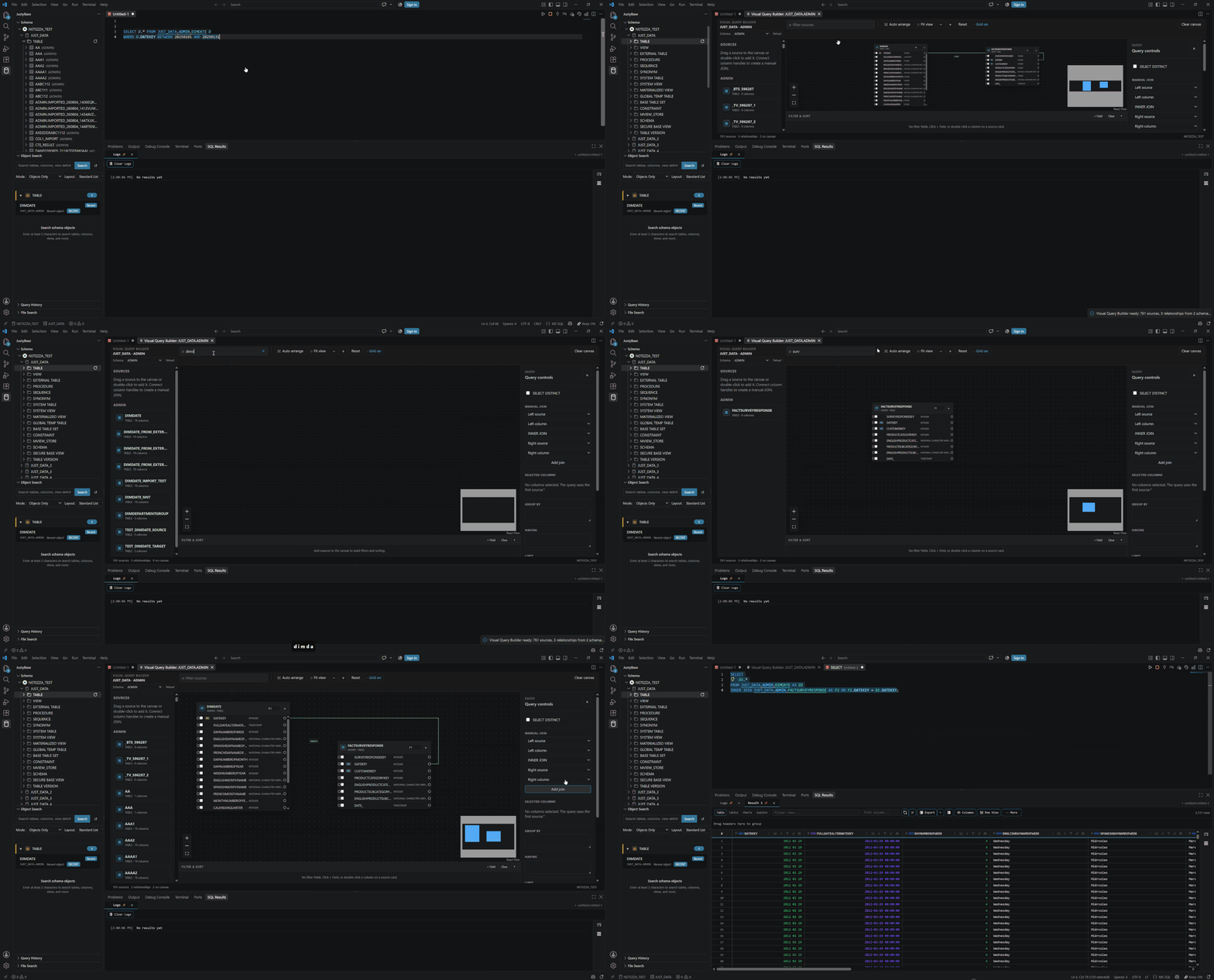
Open Visual Query Builder from a table/view group or the Command Palette. Add tables, select columns, draw joins, add predicates, grouping, ordering, and limits, then generate SQL into the editor. Review the generated identifiers and dialect before execution.
The builder is strongest for Netezza and DuckDB/File SQL workflows. It uses metadata to populate columns and relationships; a stale cache can make a real table appear empty. It does not infer business semantics from arbitrary SQL and should not be treated as a visual guarantee that a join is correct.
#ERD
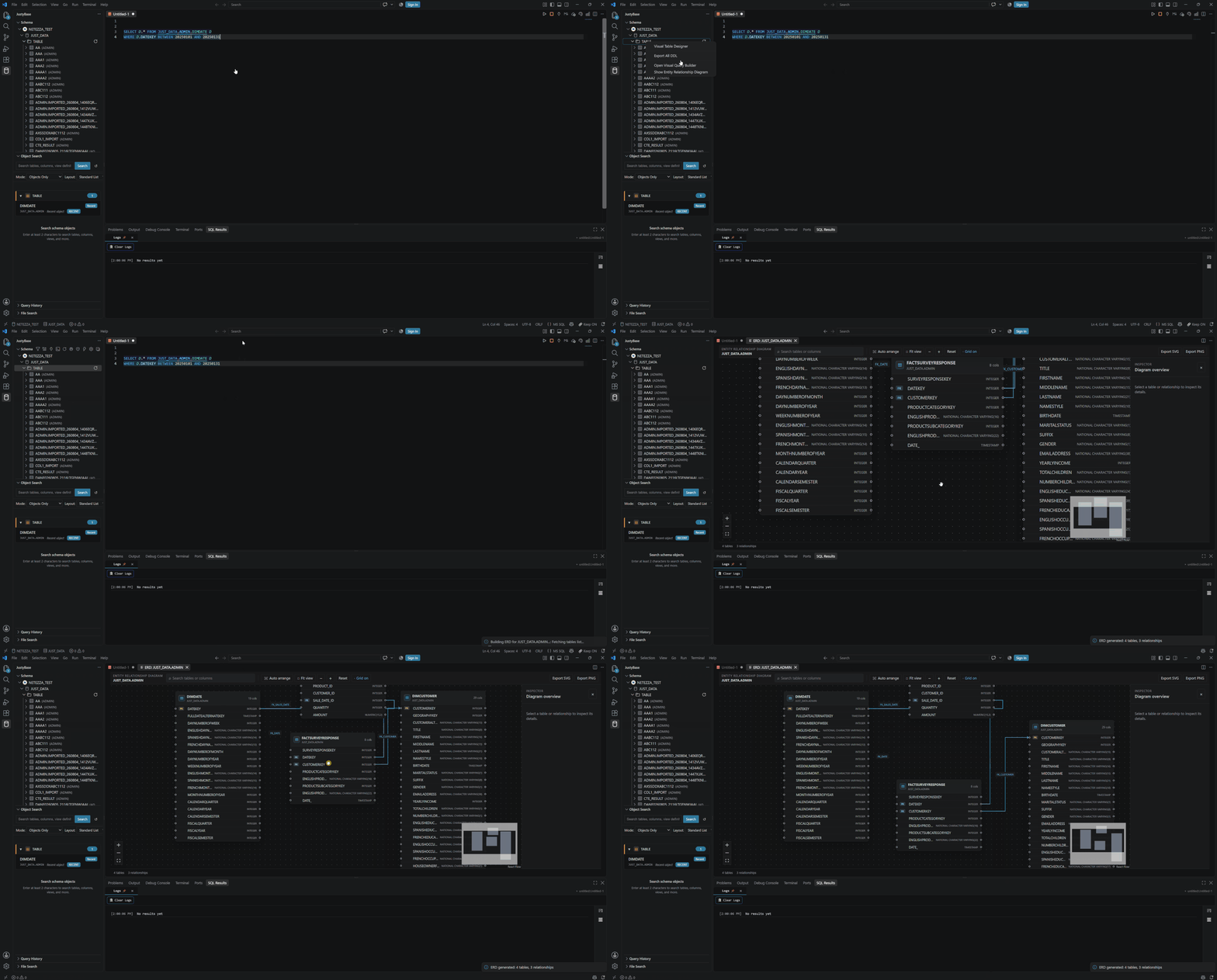
Open Show ERD for a table group or selected object. The diagram uses available catalog constraints and related object metadata. It is useful for orientation and dependency review; missing foreign keys mean missing edges, not proof that no business relationship exists.
#Review checklist
- Confirm the connection/database before loading objects.
- Refresh metadata if the diagram predates a migration.
- Inspect join cardinality and null behavior in the generated SQL.
- Use the parser/linter to review the SQL, then use
EXPLAINwhere supported. - Save the generated query in source control rather than relying on a canvas snapshot.
The ERD is a read-only visualization. The builder generates text; it does not execute or alter tables until the user runs the resulting SQL.