#Migration Studio and ETL Designer
#Migration Studio
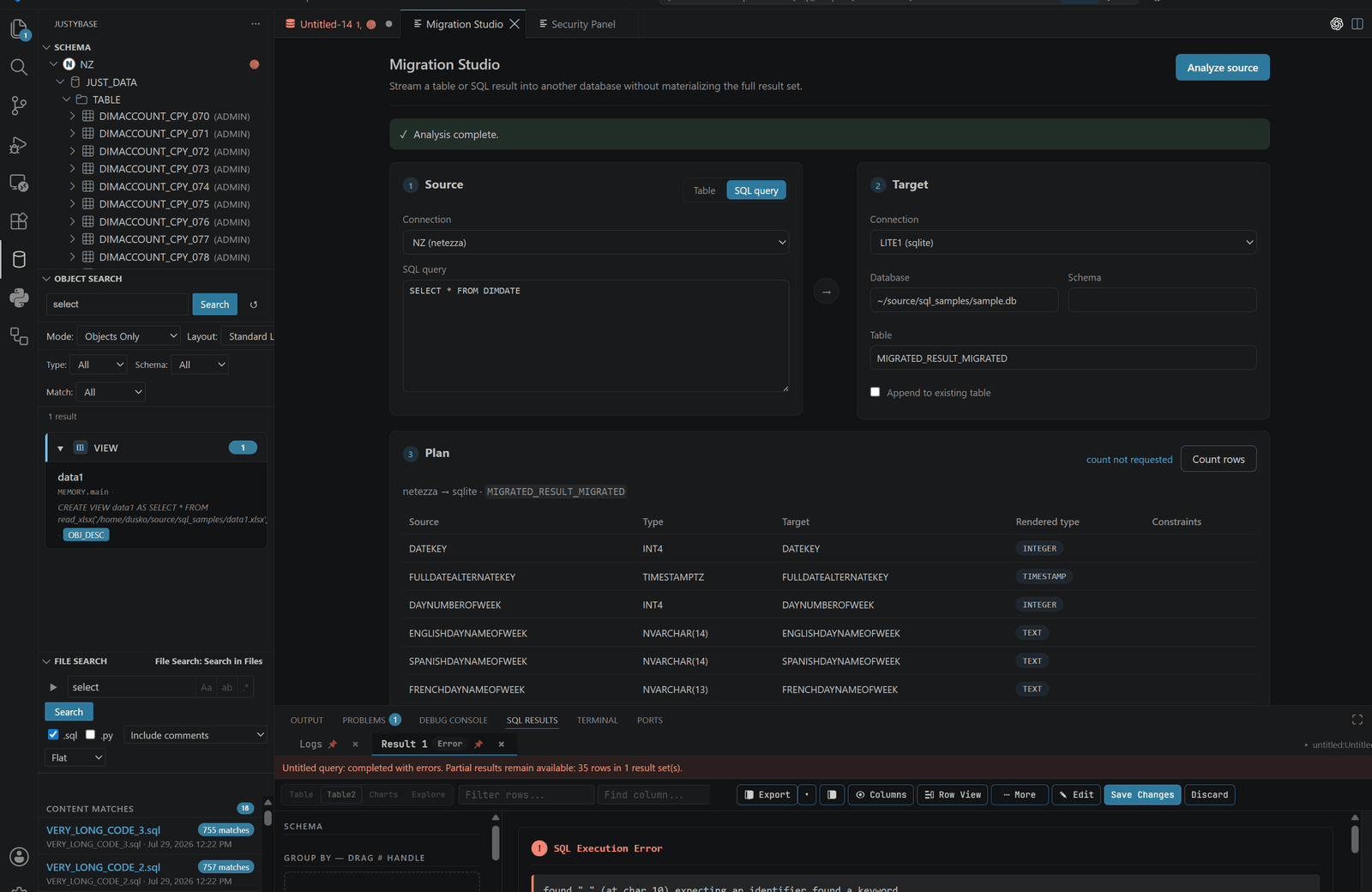
Open Migration Studio from the Schema view or Command Palette. Select source and target connections, inspect discovered objects/columns, map compatible types, and review the generated migration plan. Choose whether the workflow creates a staging table, inserts into an existing target, or emits SQL for manual execution.
The source and target database kinds matter. Identifier quoting, generated DDL, identity/default behavior, constraints, and bulk-load paths are dialect-specific. A plan can be valid SQL and still require a target privilege or data-quality decision.
#Reliable migration workflow
- Use read-only source credentials for discovery.
- Compare schemas and export the plan before moving rows.
- Map columns explicitly; do not accept a name-only match when types differ.
- Preview DDL and row-count expectations.
- Run a small/staged sample and validate counts/nulls.
- Run the full transfer with progress and cancellation available.
- Reconcile source/target counts and retain the generated plan.
Cancellation can stop the client pipeline, but a database may finish an in-flight bulk operation. Treat the target as needing reconciliation after an interrupted write.
#Cross-database and file sources
The Netezza target writer uses the 2.4.4 driver's virtual import-stream registry and FROM EXTERNAL protocol, with driver-managed socket backpressure. This is the preferred path for Netezza targets because it avoids staging migration rows in a temporary client file.
The live migration coverage includes Netezza↔PostgreSQL and Netezza↔Oracle paths, local SQLite→Netezza, and optional Db2→Netezza when Db2 credentials and the native ibm_db runtime are available. Parquet, CSV, XLSX, XLSB, Avro, and Access files can be exposed through the DuckDB/File SQL connection where the format is supported; Parquet→Netezza is verified by selecting the file view and migrating that result. File SQL is the appropriate route for Parquet because the Netezza driver itself does not parse Parquet.
#ETL Designer
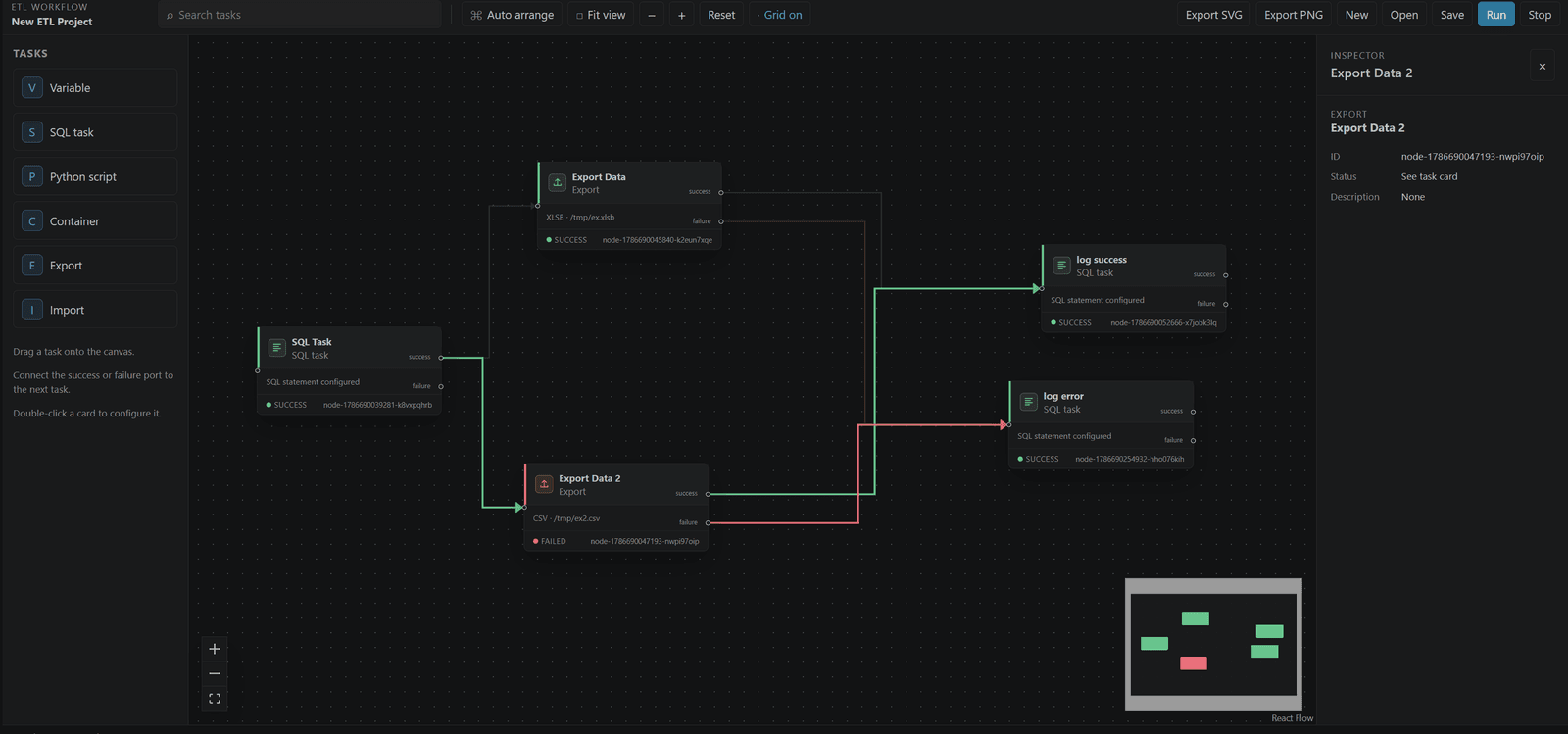
The ETL canvas supports SQL, Python script, import, export, and container tasks connected as a directed flow. Configure inputs, outputs, connections, order, error policy, and timeouts. Projects are file-based and should be reviewed like code.
Continue on Error is a deliberate graph policy: it records a failed node and allows eligible downstream nodes to run. It does not make the failed output valid. Stop and inspect dependencies when a later node consumes the failed artifact.
#Limits
ETL and migration are Partial across dialects and formats. Some nodes are desktop-only and local file import/export uses a separate runtime. See Import and export and Database support.