#Session Monitor and Security Panel
#Session Monitor
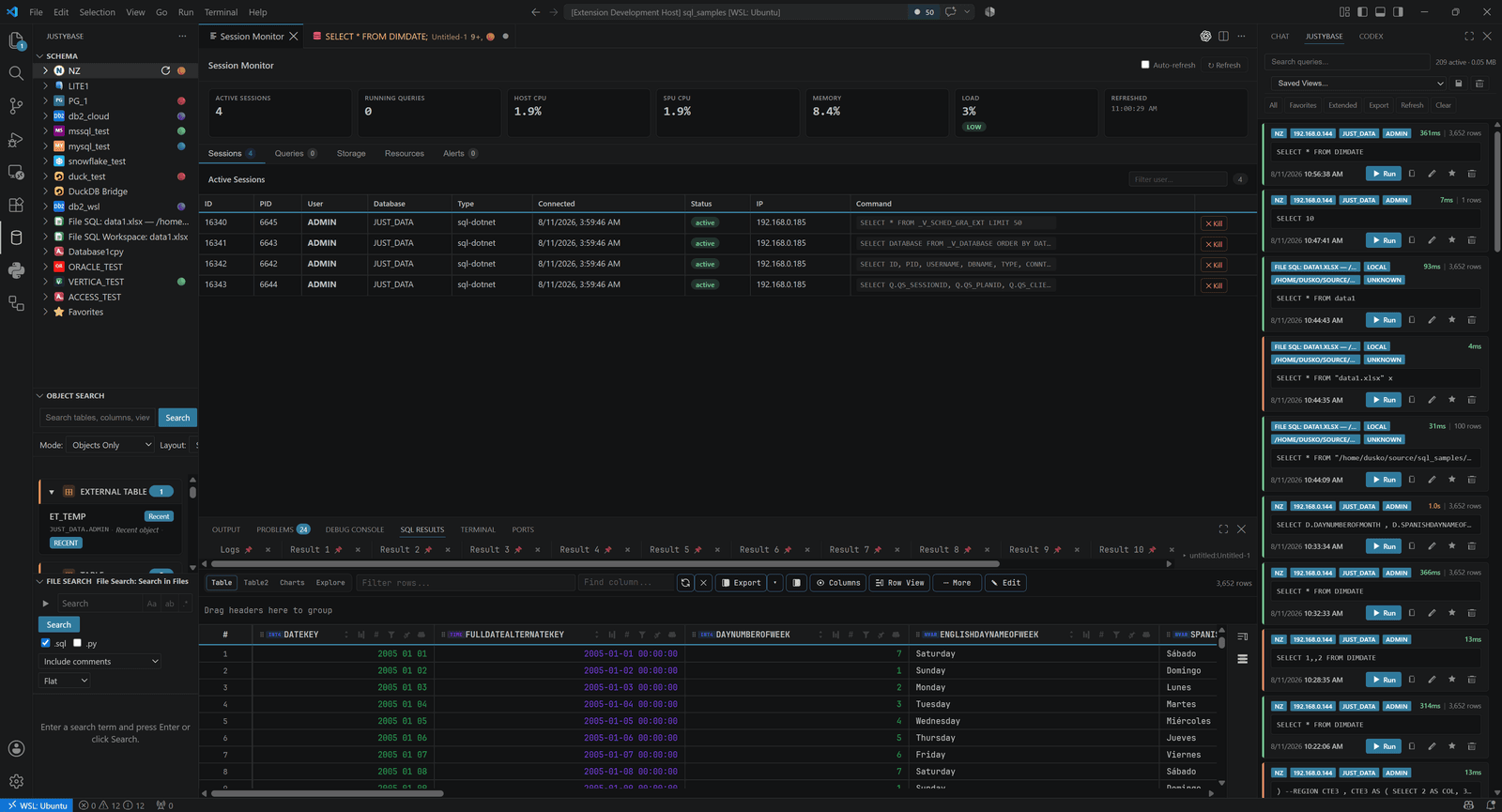
Open Session Monitor from the JustyBase commands or database-specific context. Review session identifiers, user/database, state, query text where exposed by the dialect, elapsed time, and cancellation/termination actions. Treat terminate as a privileged operational action and verify the selected connection before confirming.
The monitor is database-specific. Netezza exposes warehouse/session concepts that do not map one-to-one to SQLite or Access. Metadata sessions created by JustyBase can be swept separately; user query sessions are not swept by the metadata setting.
#Security Panel
Open Security Panel for the supported connection. Browse users, groups/roles, object privileges, and relevant catalog information. Use the guided grant/revoke forms for common operations or the raw SQL variant when the database syntax requires a form the UI does not model.
Security actions are not read-only. The panel previews/constructs SQL and asks for confirmation; a successful submission still depends on database permissions and policy. Keep a change record outside the panel for production environments.
#Safe workflow
- Connect with a read-only account for inspection.
- Capture the current role/permission state.
- Switch to an explicitly named administrative profile only for the change.
- Preview the generated grant/revoke or session action.
- Confirm target, principal, object, and scope.
- Re-query the panel and audit/log source after the change.
Connection credentials are stored through VS Code's SecretStorage. Keep SQL literals and query history free of passwords, tokens, and other credentials.