← JustyBase

Windows desktop · Netezza-first

JustyBase.Legacy

A Windows SQL client for IBM Netezza / PureData. Write and run SQL, browse catalog objects, tune preferences in a docked settings tab, and keep connection profiles encrypted on disk — built on .NET 10.

Windows x64 Self-contained · .NET 10 Netezza / PureData LGPL-3.0
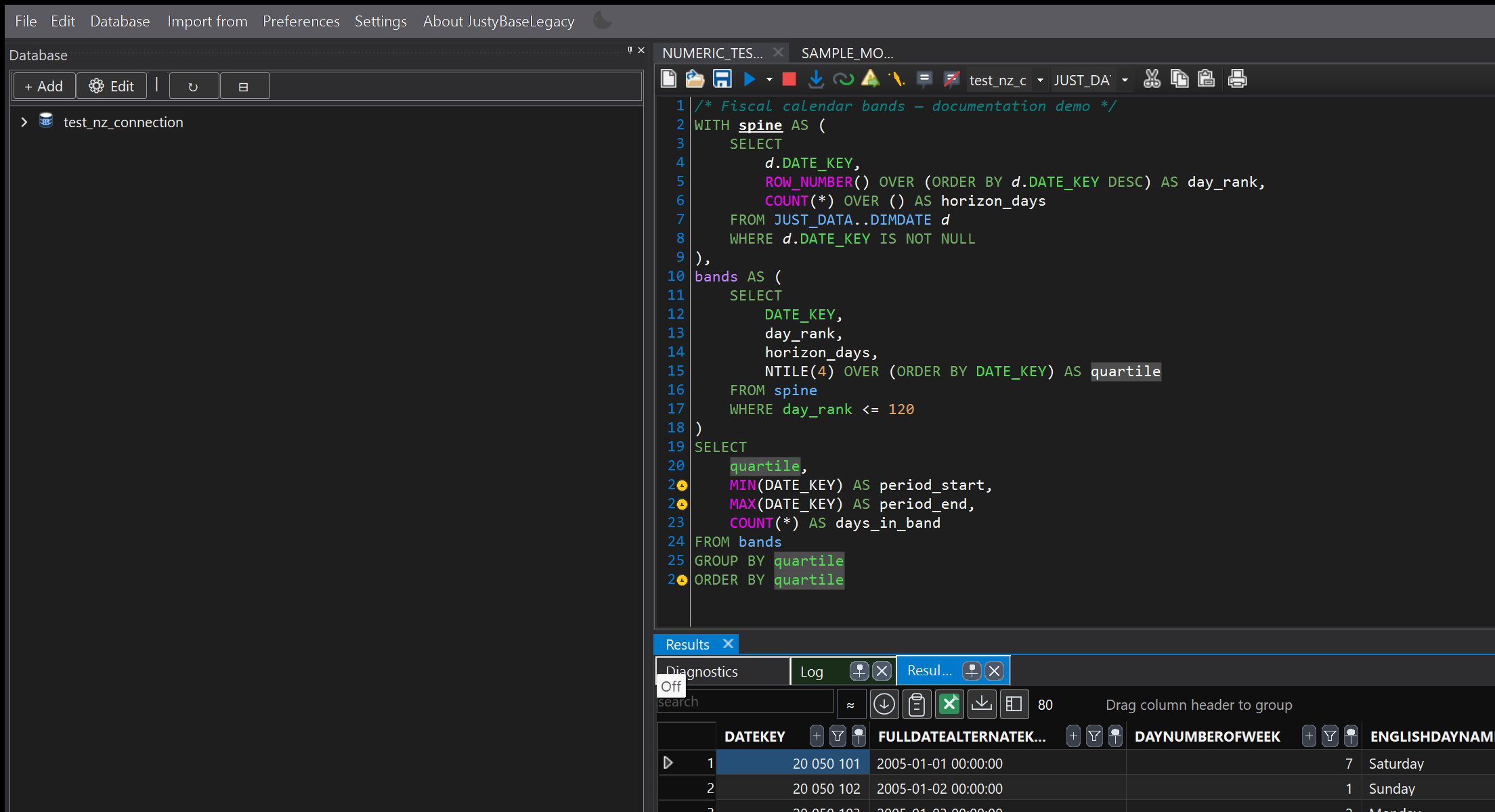
JustyBase.Legacy SQL editor, result grid, and database explorer in dark theme
SQL editor, result grid, and database explorer — dark theme

01 / PRODUCT MODEL

Netezza is the shipped default. Other engines stay optional.

SHIPPED DEFAULT

IBM Netezza / PureData

The release binary is a Netezza-first desktop IDE: SQL authoring, catalog browsing, results, and encrypted connection profiles for Windows x64. Packages are self-contained — no separate .NET runtime install.
NETEZZA COREWINFORMSSELF-CONTAINED
CONTRIBUTOR BUILDS

Optional providers

MS SQL, Oracle, DB2, and PostgreSQL are available as optional compile-time flags for contributors. They are not included in the default release binary.

Microsoft SQL ServerOracleDb2PostgreSQL
Important: download the public release for Netezza workflows. Extra database providers require building from source with the matching flags enabled.

02 / DOWNLOAD

Installer or portable ZIP.

Get the latest Windows x64 build from GitHub Releases. Both packages are self-contained.

01
RECOMMENDED

Inno Setup installer

Standard Windows installer for JustyBase.Legacy. Best for a normal desktop install with Start Menu shortcuts.

Download installer ↗
02
PORTABLE

ZIP package

Self-contained portable archive. Extract and run without an installer — useful for locked-down or temporary machines.

Download ZIP ↗
1

Download the installer or the portable ZIP for Windows x64.

2

Run the setup, or extract the ZIP and launch the application.

3

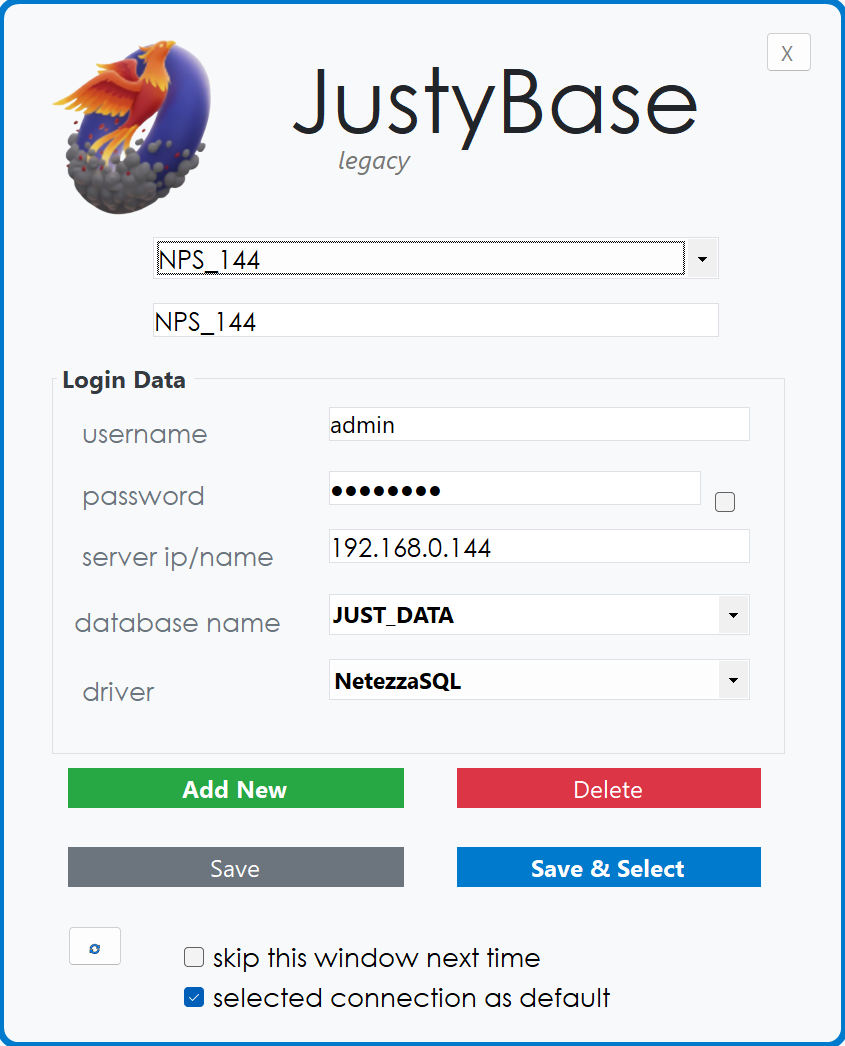
Add an encrypted Netezza connection profile and open a SQL tab.

Checking latest release…

03 / FEATURES

Built for serious Netezza work.

Editor, results, catalog, and preferences in one desktop workspace.

Netezza-first SQL editor

Syntax highlighting, completion, and linting aimed at NPS SQL so authoring stays close to the dialect you ship.

Virtual-mode result grid

Handle large result sets with filtering and export to CSV or Excel without freezing the UI.

Object explorer

Browse connections, databases, and tables; open DDL and navigate into catalog objects from the tree.

Docked preferences

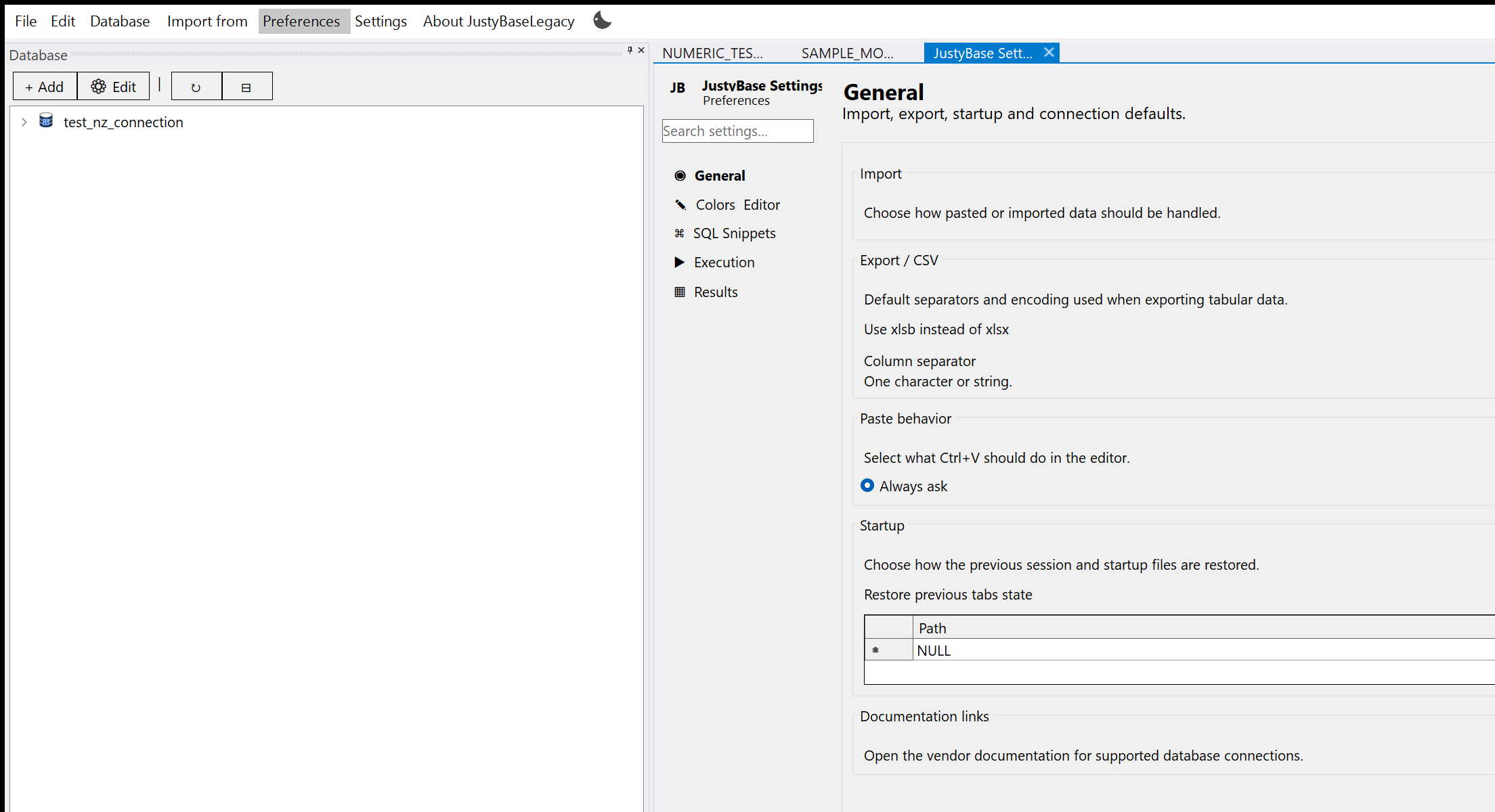
General, Colors & Editor, Snippets, Execution, and Results live as a document tab — not a modal dialog.

Encrypted profiles

Connection credentials protected with AES-GCM and DPAPI for the current Windows user.

Release-grade pipeline

Smoke tests, coverage gates, NuGet audit, and ~1,100+ automated cases behind tagged installer and ZIP releases.

04 / IN THE WORKSPACE

See the desktop IDE.

Light and dark themes are both first-class. Screenshots are served from the product repository.

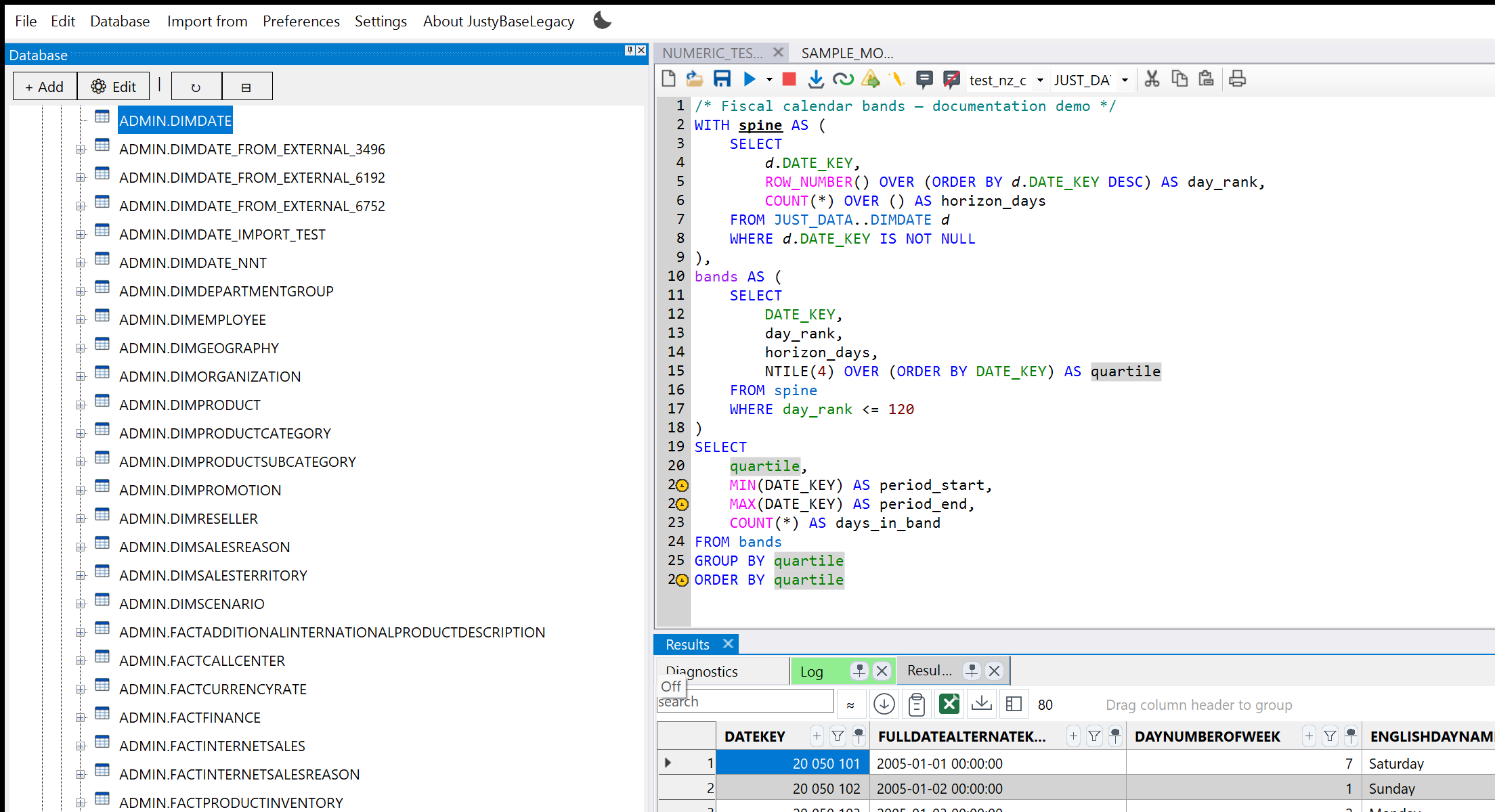
JustyBase.Legacy object explorer with catalog tree
Object explorer — catalog tree and table selection
JustyBase.Legacy preferences as a docked document tab
Preferences as a docked document tab
JustyBase.Legacy login and encrypted connection profiles
Login — encrypted connection profiles
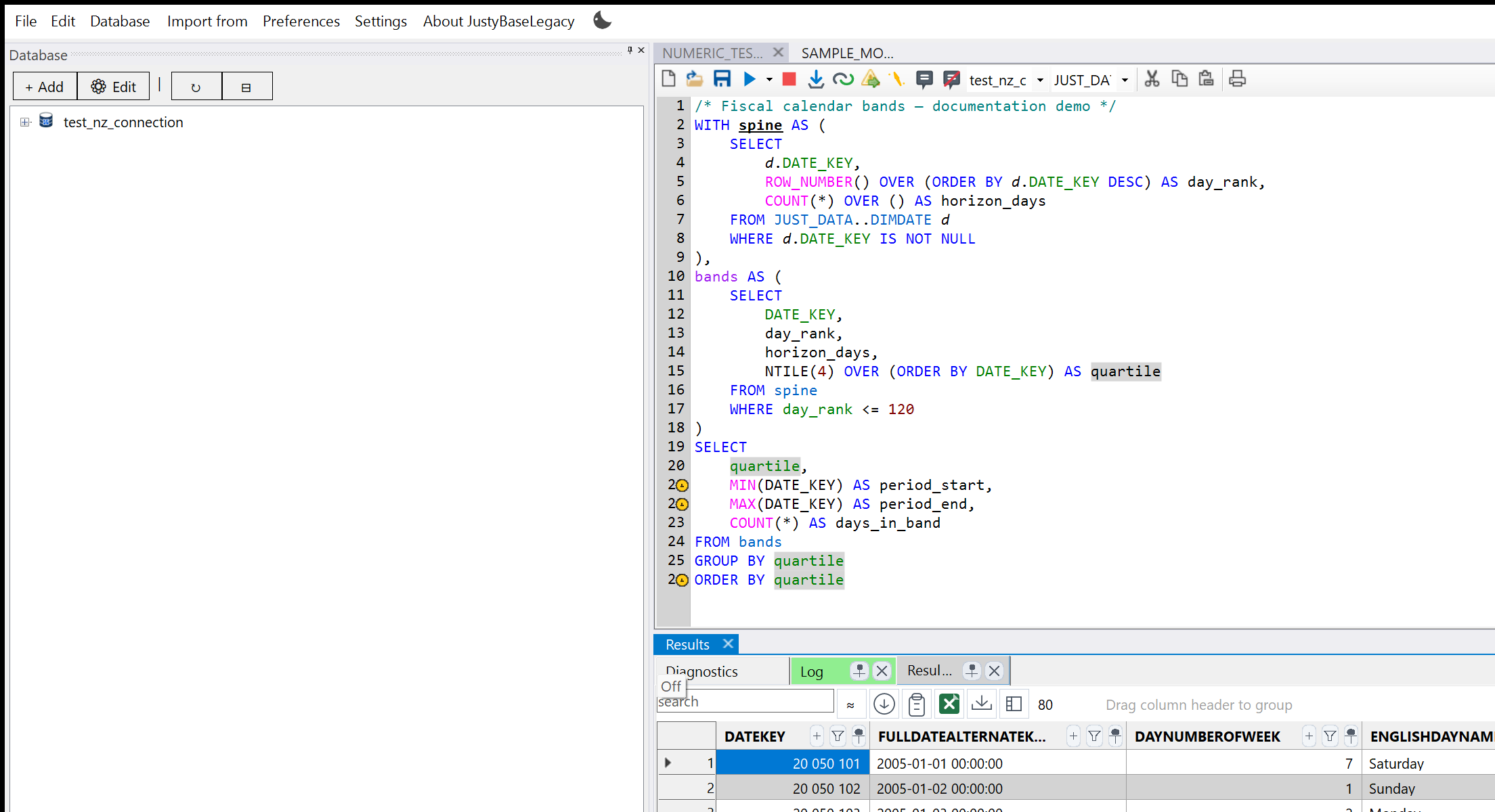
JustyBase.Legacy editor showcase in light theme
Editor showcase — light theme

Documentation & source

The README, architecture decision records, and release notes in the repository remain the source of truth for build steps, security, and contributor workflows.

JustyBase.Legacy FAQ

What is JustyBase.Legacy?

It is a Windows desktop SQL client focused on IBM Netezza / PureData — a Netezza-first IDE for authoring SQL, browsing the catalog, reviewing results, and managing encrypted connection profiles.

Is it Windows-only?

Yes. Public releases target Windows x64. Release packages are self-contained and do not require a separate .NET runtime install.

Does the download include MS SQL, Oracle, DB2, or PostgreSQL?

No. The shipped binary is Netezza-first. Other providers are optional compile-time flags for contributors who build from source.

Installer or ZIP — which should I use?

Use the Inno Setup installer for a normal desktop install. Use the portable ZIP when you need to extract and run without installing.